
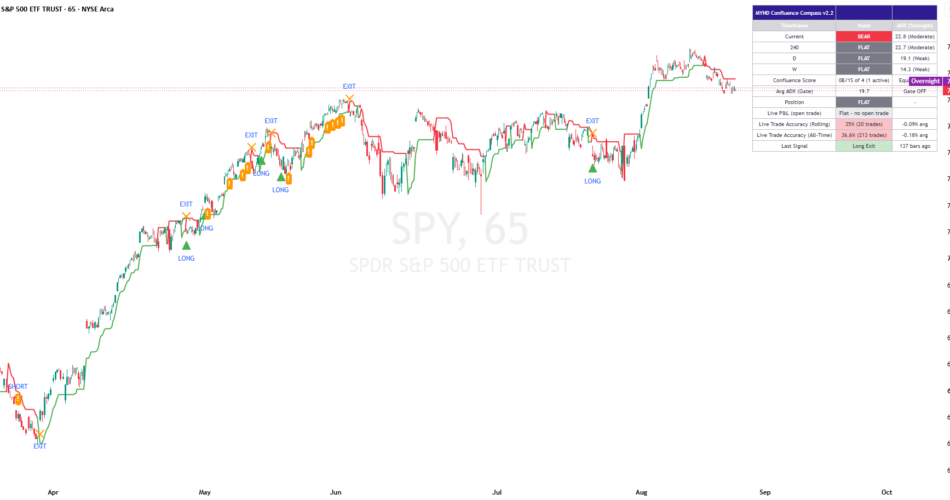
A multi-timeframe trend + momentum + trend-strength dashboard with gated entry signals, a two-tier exit system, a self-tracked honest read on whether its own trades are actually working, and now a set of frequency and quality fixes built directly from 2 live test screenshots.
WHAT IT DOES
This indicator checks your current chart timeframe plus up to 3 higher timeframes, classifying each one independently as Bullish, Bearish, or Flat from its own EMA trend direction, RSI/MACD momentum, and ADX trend-strength read. An entry signal only fires when enough of those timeframes actually agree – either by simple majority vote (Equal Weight mode) or by a combined weighted score. Once in a trade, a two-tier exit system watches for early signs of weakening momentum and a volatility-adaptive trailing stop.
HOW IT WORKS
Trend counts as up when price is above a fast EMA, that fast EMA is above a slow EMA, and Supertrend agrees on direction. Momentum counts as bullish when RSI is above its midline with a rising MACD histogram. Both only qualify if ADX clears the relevant minimum trend-strength threshold. Every higher-timeframe read uses that timeframe’s own most recently CLOSED bar only, never the still-forming one, to avoid repainting.
KEY FEATURES
A live dashboard showing every enabled timeframe’s state and ADX, the current confluence score (now with an active-timeframe count and optional HTF-veto tag), an average-ADX gate readout, tracked position and bars-in-trade, live open-trade P&L with ladder-tier status, and both rolling and all-time Live Trade Accuracy. A volatility-adaptive trailing stop line on the chart, optionally tightened per profit-ladder tier reached. Light/Dark theme presets plus a colorblind-safe signal color option. Full customization throughout, with tooltips on every setting that benefits from one.
HOW TO USE IT
Works out of the box with most v2.2 defaults pre-engaged, since they are targeted fixes rather than neutral options. If you want to compare against the prior version’s behavior, every new gate can be switched off individually (see the Reference workbook’s Directions & Notes tab). Watch the Confluence Score’s active-timeframe count to understand at a glance how many timeframes are actually voting right now. Compare the Rolling and All-Time Live Trade Accuracy rows to tell “is it working lately” apart from “has it ever worked.”
SETTINGS WORTH TUNING FIRST
Enable Adaptive Confluence Denominator – the direct fix for a starved-vote entry-frequency problem. Entry Confirmation Bars and Enable Cooldown After Exit – the two levers most aimed at whipsaw-loss trade quality. Require ADX Rising and Enable Per-Timeframe ADX Minimum – complementary frequency/quality levers, best tuned together. Enable Progressive Stop Tightening on Ladder Tiers – review what it changes before turning it on, since it’s the one feature here that alters real exit behavior rather than just filtering entries.
WHAT THIS TOOL DELIBERATELY DOES NOT DO
Position/Bars-in-Trade/Live P&L/both Live Trade Accuracy stats remain signal-only – not connected to any real broker or exchange position. The Partial Profit-Taking Ladder stays informational-only unless Progressive Stop Tightening is explicitly turned on, since this tool tracks trade direction, not position size.
ALERTS
15 alerts total, all standard alertcondition() alerts – v2.2 added no new alert types, only tightened the conditions feeding the existing entry/exit alerts. Individual alerts cover Long/Short Entry, Long/Short Weakening Warning, Long/Short Exit, Bullish/Bearish Confluence Building, Live Trade Accuracy Warning, and Ladder Tier 1/2/3 Reached. Three combo alerts bundle these down to 1-2 watchlist slots: ALL Entries, ALL Exits & Warnings, and ALL Signals.
FEEDBACK WELCOME
If you’ve tweaked a setting, found a combination with another indicator that works well, or have an idea for what would make this more useful, I’d genuinely like to hear about it – drop a comment below (it helps other users too), or send a direct message if you’d rather keep the details private.
This tool can only tell you what has aligned and worked recently on this symbol/timeframe – it is not a guarantee of future performance. This tool is provided for informational and educational purposes and does not constitute financial advice. Trading involves risk; past performance and historical patterns do not guarantee future results.
Source link
Author

- Ytv Market News
- Share-market news writer and analyst with deep experience covering equities, commodities, forex, and cryptocurrencies for readers in the USA, UK, Canada, and Australia. Ytv Market News delivers timely market updates, practical trading insights, and clear explanations of macro and company-level catalysts that move prices. Combines on-the-ground financial reporting with technical analysis, using concise charts and actionable ideas to help investors and traders make smarter decisions.
Latest entries
 Investing InsightsAugust 27, 2026Tesla Outpaces Nvidia and Alphabet in August as Musk’s $16.8 Billion Chip Complex Advances — BigGo Finance
 GermanyAugust 27, 2026Oil settles down after choppy session as investors weigh Hormuz talks
 CanadaAugust 27, 2026KDA GROUP APPOINTS LOUISE POTVIN TO ITS BOARD OF DIRECTORS
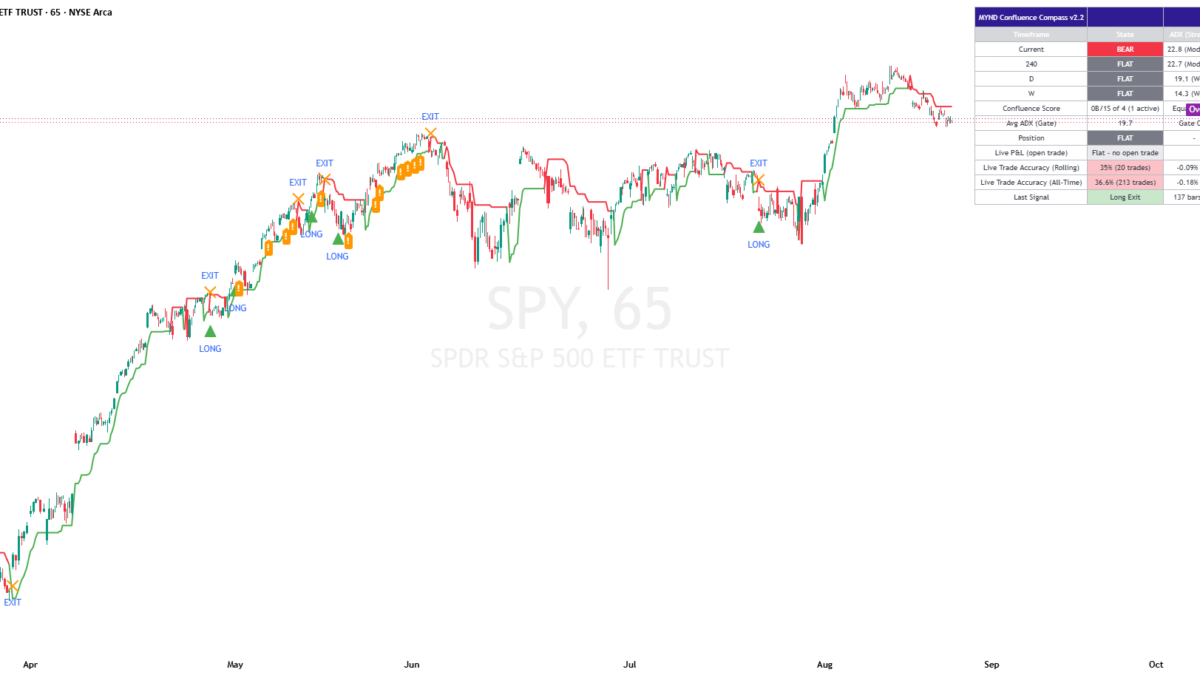 Trading IndicatorsAugust 27, 2026MYND Confluence Compass v2.2 — Indicator by ps107 — TradingView